Your team's schedule, at a glance.
One calendar shows everything: pending requests, approved time off, facility closures, and availability. Make informed decisions without digging through spreadsheets.
End the spreadsheet chaos
Shared spreadsheets. Outlook calendars that nobody updates. Sticky notes on monitors. The whiteboard in the break room that's three weeks out of date.
Sound familiar? When time-off tracking lives in multiple places, nothing is accurate. You can't trust what you're looking at. Coverage gaps happen. Conflicts slip through.
One source of truth changes everything. The Time Off Schedule calendar is always current, always accurate, and accessible to everyone who needs it.
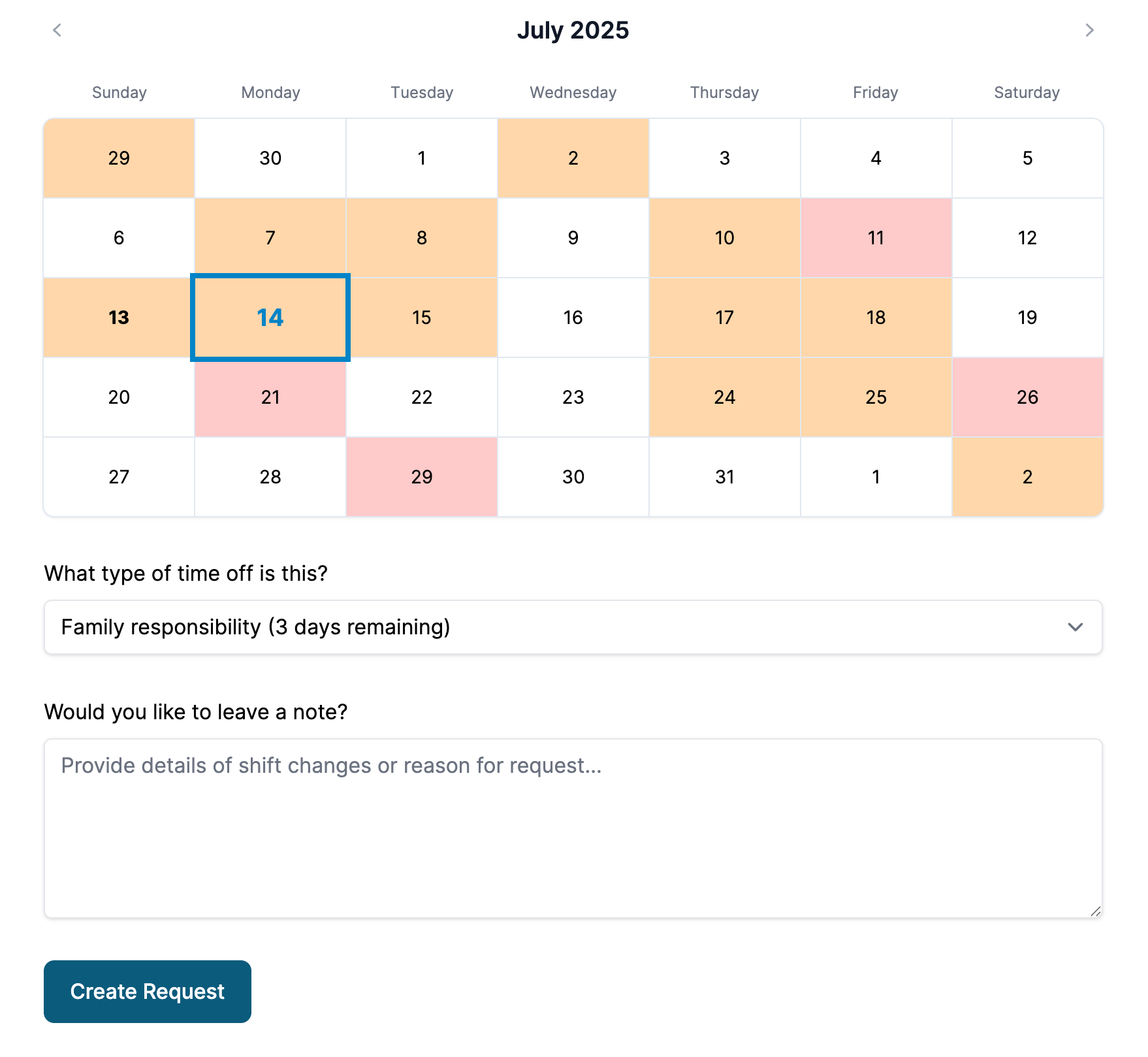
- Color-coded days.
- Red means multiple people are off. Orange means one person. Slate means the facility is closed. At a glance, you know exactly what's happening.
- Pending & approved.
- See both pending requests and approved time off on the same calendar. Know what's coming and what still needs your attention.
- Facility closures.
- Holidays, maintenance days, company events — mark when the facility is closed. Everyone sees it on the calendar, and rules can account for it.
- Special events.
- Mark special open days, extended hours, or events. Your calendar reflects reality, not just a standard schedule.
- Team-wide view.
- See the whole team's schedule at once. Know instantly when you're getting thin on coverage.
- Public calendar option.
- Optionally share a read-only calendar with the team so everyone can check availability before requesting.
- Hourly time off.
- Not just full days. Request two hours for a dentist appointment or a half-day for a school event. The calendar reflects exactly what's scheduled.
Timezone support
Your organization's timezone is configured once, and everything displays consistently. No more confusion about which day someone is actually taking off.
Hourly time off for real-world schedules
A dentist appointment doesn't need a full vacation day. A parent-teacher conference is two hours, not eight. Time Off Schedule lets team members request time off in hours — so you track what's actually being used and balances stay accurate.
For shift-based teams, this granularity matters. You see exactly when someone will be out, not just that they're "off today." Coverage planning gets sharper because you're working with real information.
Calendar intelligence that prevents denied requests
Before your team even submits a request, the calendar shows them what's likely to get approved. Days where coverage is already thin show warnings. Dates approaching category limits are flagged. Approval likelihood indicators help staff self-select dates that work for everyone.
The result: fewer denied requests, fewer awkward conversations, and a team that feels trusted to pick their own time off. When people can see capacity before they ask, they make better choices — and you spend less time saying no.
Why daycares love this
Licensed childcare centers need to maintain staff-to-child ratios at all times. One glance at the team calendar tells you whether tomorrow's coverage is solid or whether you need to make a call — before parents arrive.