Your policies, automatically enforced.
Create custom time-off categories with smart rules that prevent scheduling conflicts before they happen. Let the system say 'no' so you don't have to.
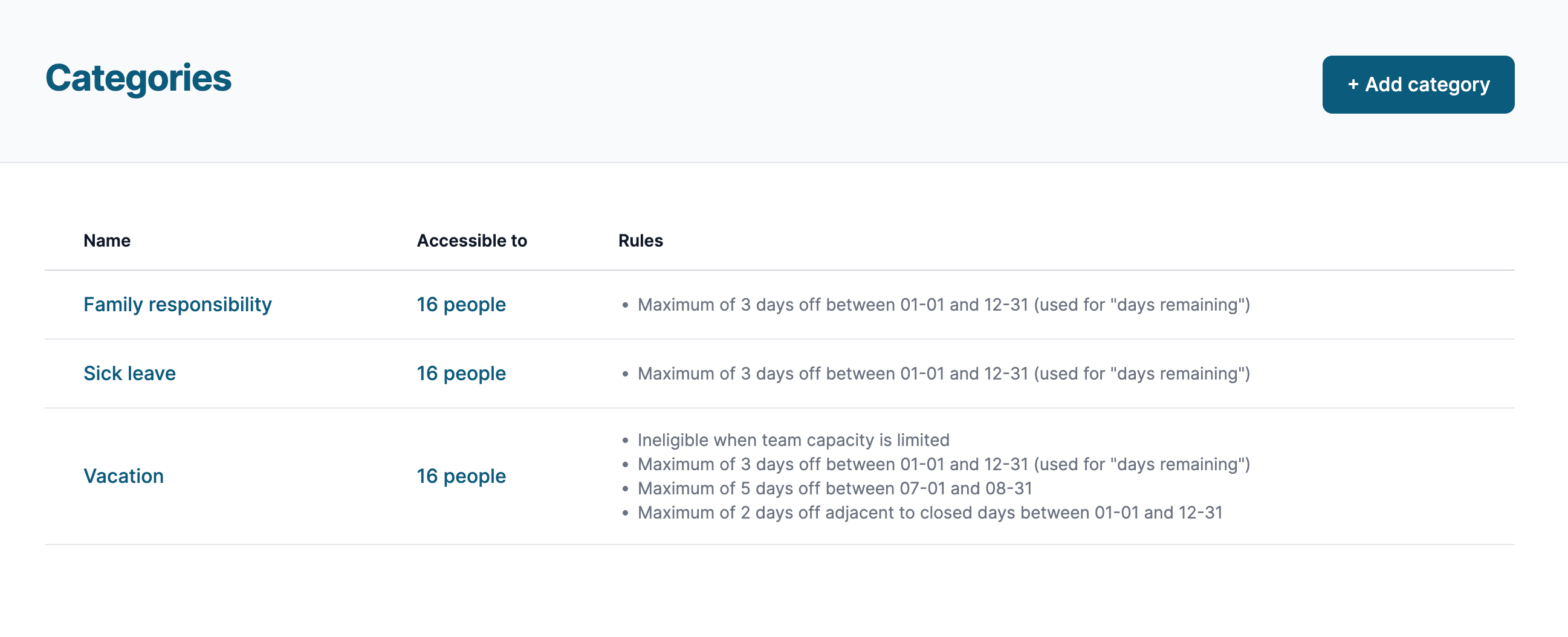
Stop being the bad guy who says "no"
You know the scenario: Four people want the same Friday off. Your busiest week of the year, and half the team requests vacation. Someone asks for time off the day after a holiday when you're already short-staffed.
You end up being the villain who crushes vacation dreams. The frustration. The awkward conversations. The resentment that lingers.
Smart rules change everything. Set your policies once, and the system enforces them automatically. Team members see upfront which days have low approval chances. No surprises. No hard feelings. No you being the bad guy.
Powerful rule types for any scenario
Quota Limits
Limit how many days can be taken within a date range. "Only 5 vacation days between December 15 and January 5." Perfect for busy seasons, year-end blackouts, or annual limits.
Capacity Limits
Automatically disable requests when too many people are already off. "Only 2 people can be on vacation any given day." Prevents understaffing without you having to track it manually.
Adjacent Day Limits
Control time off around holidays and closures. "No vacation the day before or after Thanksgiving." Prevents the classic long-weekend land grab.
Per-Person Categories
Assign specific categories to specific team members. Part-time staff get different rules than full-time. New hires have different accrual rates. Complete flexibility.
Unlimited category types
Vacation days, sick leave, personal days, bereavement, jury duty, parental leave, mental health days, volunteer time, training days — create as many categories as your organization needs, each with its own rules.
- Different accrual rates for each category
- Require physician notes for certain categories
- Require explanations when appropriate
- Different approval workflows per category
Visual availability indicators
When team members view the calendar, they see which days have low approval chances before they even submit. Color-coded indicators show when dates are filling up or approaching limits. They make informed choices, and you get fewer requests you have to deny.
Coverage minimums for childcare
Set a rule that no more than 2 staff can be off on any given day. We'll automatically prevent requests that would leave you understaffed — no awkward conversations needed.