Approve time off in seconds, not days.
One-click approvals with full context. Add notes when needed. Complete audit trail. No more email chains or lost requests.
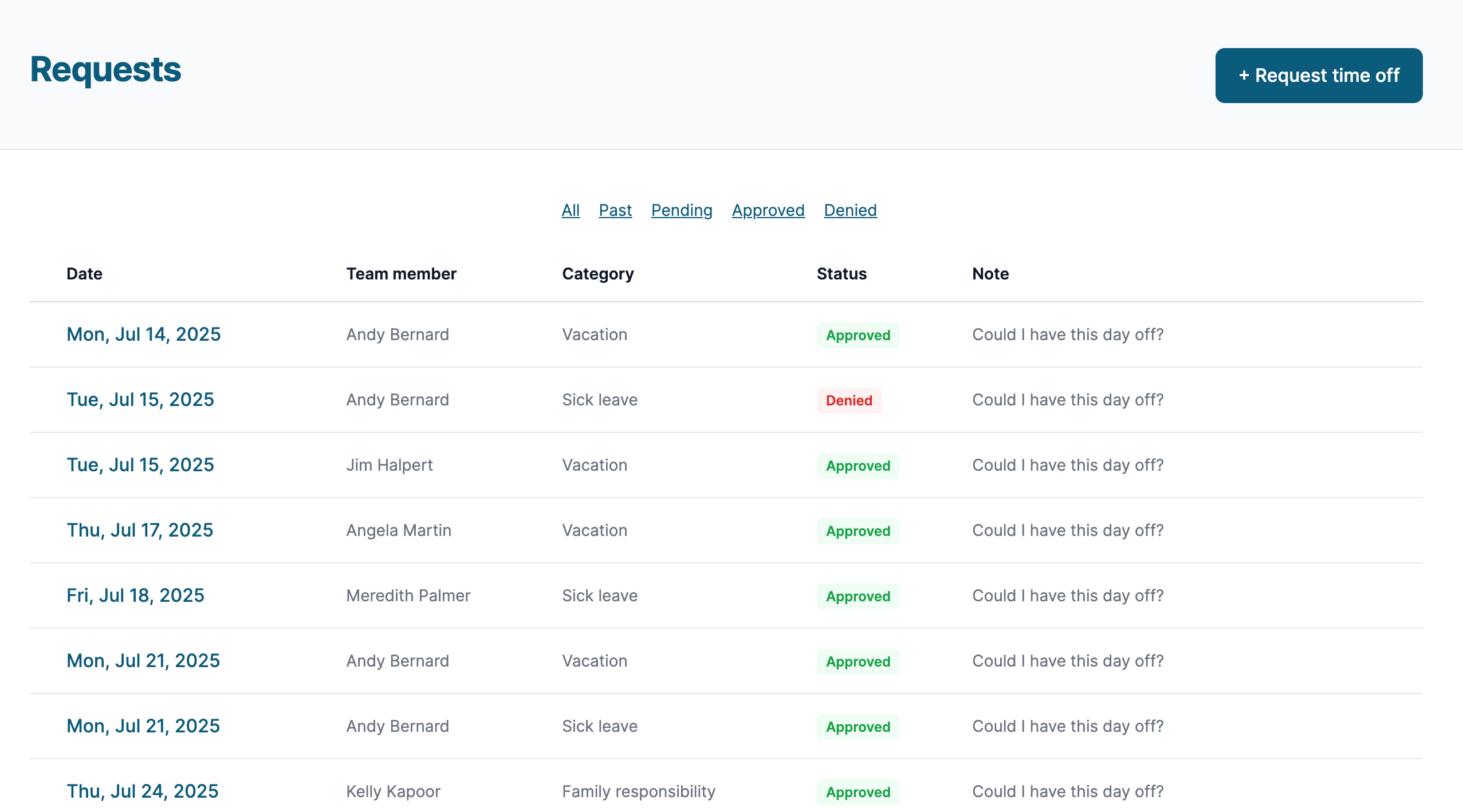
The approval anxiety ends here
The request comes in via email. You mean to respond, but a meeting starts. Then another email buries it. Days pass. Your employee follows up, frustrated. You dig through your inbox, trying to remember the context. Was there a conflict that day? Who else is off?
This friction is unnecessary. Time Off Schedule gives you everything you need to make a decision the moment the request arrives. One click, and it's done.
- One-click approval.
- See all the context you need. Click approve. Done. Your team member is notified immediately.
- One-click denial.
- Sometimes the answer has to be no. Add an optional note explaining why, and the system handles the notification.
- Approver notes.
- Add context to any decision. "Approved — enjoy your vacation!" or "Denied — we're short-staffed that week, can we find another date?"
- Cancellation requests.
- Plans change. Team members can request to cancel approved time off, and you can approve or deny the cancellation.
- Requester notes.
- Team members can add context to their requests. "Doctor's appointment" or "Kid's school play" — whatever helps you make the decision.
- Automatic audit trail.
- Every request, every decision, every note — automatically documented. When you need to look back, everything is there.
Role-based permissions
Superadmin
Full control over billing, organization settings, and every team member. The account owner who sets everything up.
Admin
Manage team members, categories, rules, and settings. See all requests and make decisions — without touching billing.
Approver
Approve and deny time-off requests without access to administrative settings. Perfect for team leads and supervisors.
Context at decision time
When reviewing a request, you see who else is off that day, whether any rules would be affected, and any notes the requester provided. No hunting through calendars or spreadsheets. Everything you need to make a smart decision is right there.
Cancellation requests built in
Plans change — a family trip gets rescheduled, a conference moves dates, or someone just feels better. When a team member needs to cancel approved time off, they submit a cancellation request. You get notified, review it, and approve or deny with one click. The days are automatically restored to their balance. The same full workflow you trust for approvals, now working in reverse.
Physician note tracking
For certain time-off categories, you may require a physician's note. The system tracks whether a note has been received — no paper shuffling, no separate tracking system. Configure which categories require notes, and the workflow handles the rest.
Why daycares love this
One tap to approve. Full record if you're ever audited. Licensed childcare centers face regular compliance reviews — having a timestamped record of every time-off decision means you're always prepared.